


Creators run into similar problems: time-heavy editing, lack of ideas, or limited motion-design skills. Below are four browser-based platforms that tackle those issues — each offering unique value.
PaperAnimator — quick paper-cut animations from photos
PaperAnimator turns any photo into stylized “paper cut-out” animations in seconds.
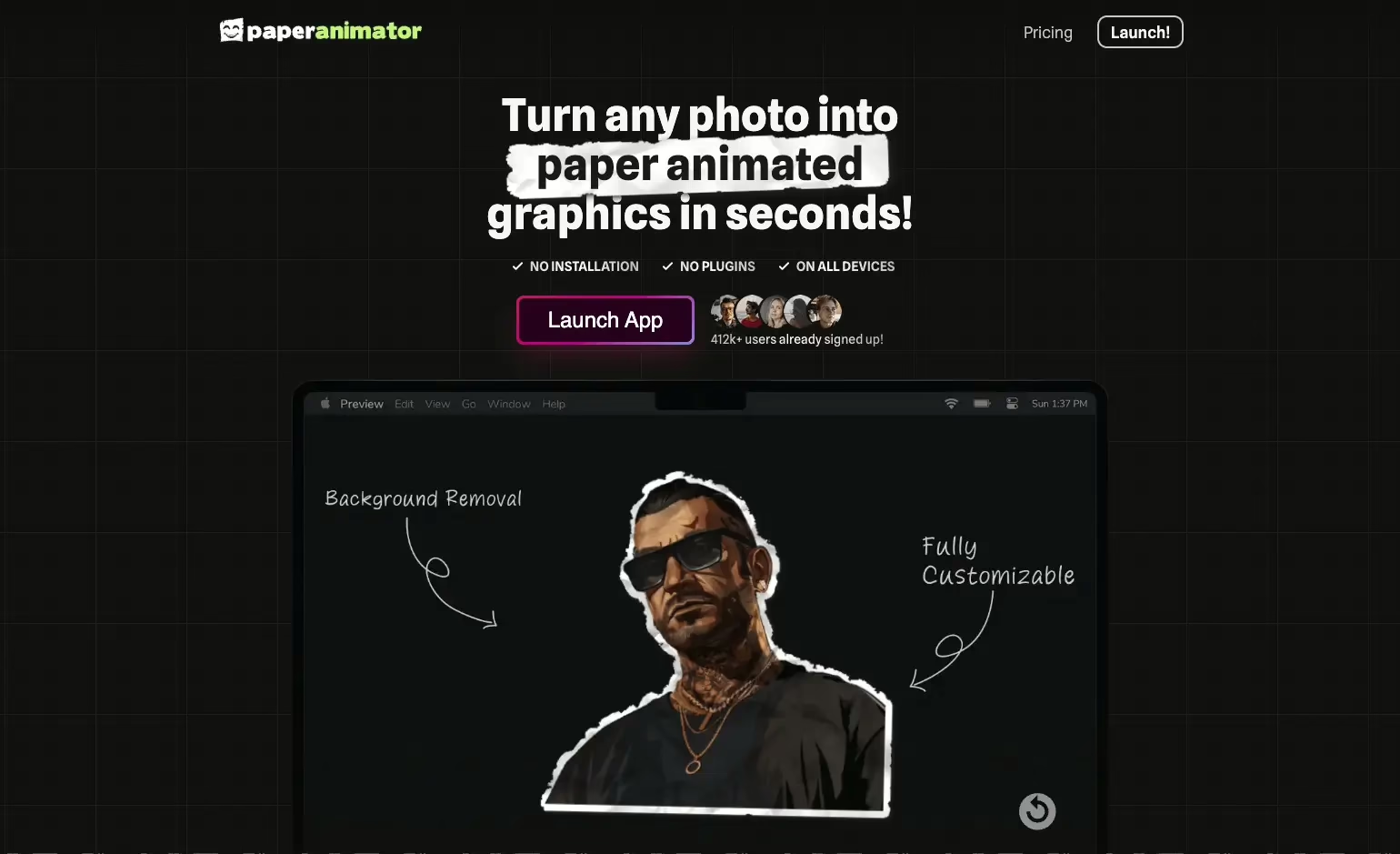
- The tool provides a simple drag-and-drop interface.
- You can apply “paper fold-out” effects, background removal, and export transparent PNGs or chroma-key footage — useful for layering in composite edits.
- For social media creators or reel editors, this makes stylized animated content fast, cheap, and easy.
If you’re building reels, motion art, or experimental video pieces, PaperAnimator can dramatically speed up the process without heavyweight animation software.
Jitter.video — browser-based motion design, from text animations to full motion graphics
Jitter.video delivers motion design capabilities entirely in the browser. It works as a lean alternative to heavy tools like After Effects.

Key features:
- Interface familiar to designers; easy to animate even without advanced motion-graphics experience.
- Support for import from design tools (e.g. Figma), vector graphics, images, video, and audio.
- Hundreds of free templates for social media, UI animation, ads, video titles, and more.
- Exports in multiple formats (MP4, GIF, Lottie, WebM), up to 4K and 120 fps, including transparent-background exports.
For creators producing content for social media, ads, or UI/UX prototypes, Jitter dramatically reduces friction. You skip rendering heavy software, and can iterate quickly.
Vidclue.com — idea generation engine for short-form video creators
Vidclue.com fills a less obvious but critical gap: content ideation. It presents a large catalog of potential video ideas, categorized by type (educational, comedy, trend-based, behind-the-scenes, etc.), motion/production style, and format.

Use cases:
- Break creative block when you run out of ideas or can’t decide what to film next.
- Explore niches you haven’t touched before (e.g. myth-busting, “expectation vs reality,” tutorial formats, memes, storytelling, etc.).
- Quickly find trending formats or recurring hooks that tend to work (challenge, reaction, informational, “listicle”, etc.).
For content creators juggling multiple formats (YouTube, TikTok, Instagram Reels), a tool like Vidclue helps maintain volume without sacrificing variety.
Acidbite.com — ready-made editing assets and transitions (sound effects, LUTs, overlays)
Acidbite.com aims to be an all-in-one asset library for editors. It offers transitions, sound effects, LUTs (color grading presets), overlays, and other visual/audio tools that help polish edits. (As of writing, public documentation is limited — but promotional material lists those asset categories.)

Why this matters:
- Saves time: you don’t need to build transitions or effects from scratch.
- Consistency: using professional-grade presets can give your edits a polished, cinematic feel.
- Flexibility: combining assets with animated elements from PaperAnimator or Jitter can elevate a simple clip into a more polished piece.
Which tool is right depending on your need
| Common problem / need | Recommended tool(s) |
|---|---|
| Need stylized animations from static images | PaperAnimator |
| Want fast animations, motion graphics, text animation, social-media ready content | Jitter.video |
| Running low on ideas for content, need fresh hooks or formats | Vidclue.com |
| Require editing assets (transitions, sound effects, LUTs) to polish video | Acidbite.com |
You don’t have to pick only one. For example:
→ generate a concept with Vidclue
→ grab or shoot footage
→ use PaperAnimator to add stylized overlays
→ animate text or motion design in Jitter
→ polish with transitions and LUTs from Acidbite.
What this means for content creators & agencies
These tools illustrate a shift: tools that used to require expensive licenses or steep learning curves are now accessible through the browser. Smaller creators or solo operators can produce professional-looking content fast. Agencies can iterate more quickly, test more formats, and push more content with fewer resources.